ios 후킹 코드
ios 기본 후킹 코드
if(ObjC.available){
   var className = "NSFileManager";
   var methodName = "- fileExistsAtPath:";
   var hook = eval('ObjC.classes.' + className + '["' + methodName + '"]');

   Interceptor.attach(hook.implementation, {
      onEnter: function(a){
         var str = new ObjC.Object(ptr(a[2])).toString();
            console.log(str);

      },
      onLeave: function(retval){
         console.log('나갈때',retval);
         retval.replace(0x0)
      }
   });
}
//fileExistsAtPath후킹
함수명이 보이지 않으면 주소로 후킹
(ios 난독화되면 코드가 안 보임)
var module_base = Module.findBaseAddress('testapp');  // get base addr
var custom3_5fdfd4 = module_base.add(0x5fdfd4);   // add function offset

 Interceptor.attach(custom3_5fdfd4, {   // set hook
    onEnter: function (args) {
        send("[S] !!!!!!!!!!!!!! custom3() called");  // before call
    },
    onLeave: function (retval) {
        //send("[W] custom3 ret: " + retval.toString() );  // after call
    }
});
'testapp'에 바이너리 파일이 들어가면 됨
디버그 로그 내 중요정보 노출 방지
InsecureBan kv2 실습
adb install하고 파일 끌어옴
adb install C:\Users\A3SC\Downloads\InsecureBankv2.apk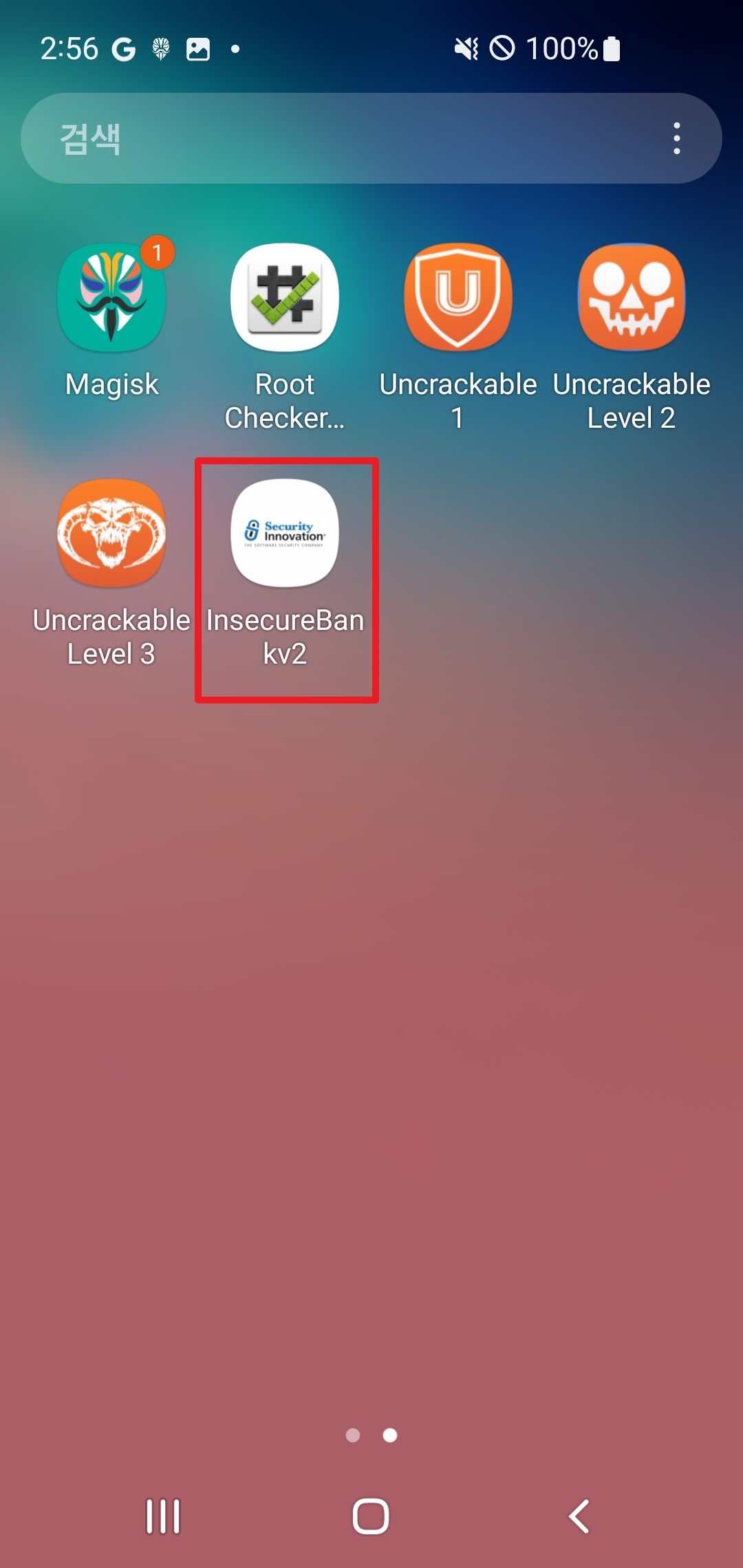

frida-ps -Uai // 프로세스 패키지 이름 확인

frida -U -f owasp.mstg.uncrackable1 -l test.js//js파일 실행
Login을 누르면 입력
SERVER ID
PORT
인시큐어뱅크 기본 계정정보(default ID/PW)를 입력함
username
password

프로세스 확인
frida-ps -Ua
로그인 후에 adb를 이용한 locat
adb logcat --pid=31267
노트패드나 vscode를 사용해서 Ctrl+F로 찾기
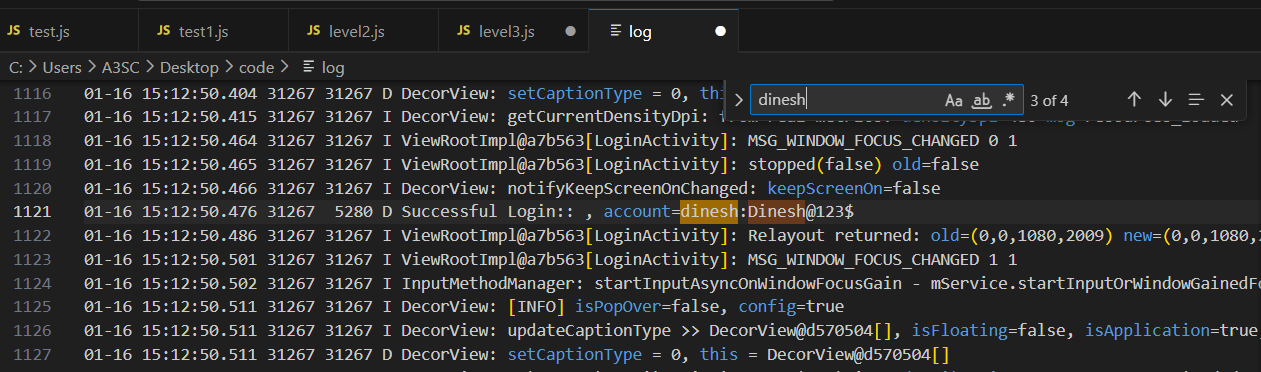
참고) 3uTools는 Realtime log에서 로그를 볼 수 있음
난독화 미적용
앱 APK 추출기 및 분석기
adb pull
push

/data/app에는 내가 설치하거나 아니면 설치된거 볼 수 있음
pm list packages -f | grep [패키지명]


slieo 들어가기 없으면 도파민 패키지 매니저 재설치하면 됨
slieo 들어가서 검색에 apple file 검색했는데 안 나오면
패키지 +를 눌러서 apple file conduit 2 sileo를 설치한다.
3utools 내 파일을 jailbreak 폴더로 볼 수 있다.
.ipa로 파일을 분석함
아이폰 기본 후킹 방법
Roothide로 탈옥한다고 함
astrogrep을 많이 사용
adb shell
su
cd /data/data/

ls -al  //com.android.insecurebankv2 파일 경로 확인

cd com.android.insecurebankv2

tar cvf test.tar * //압축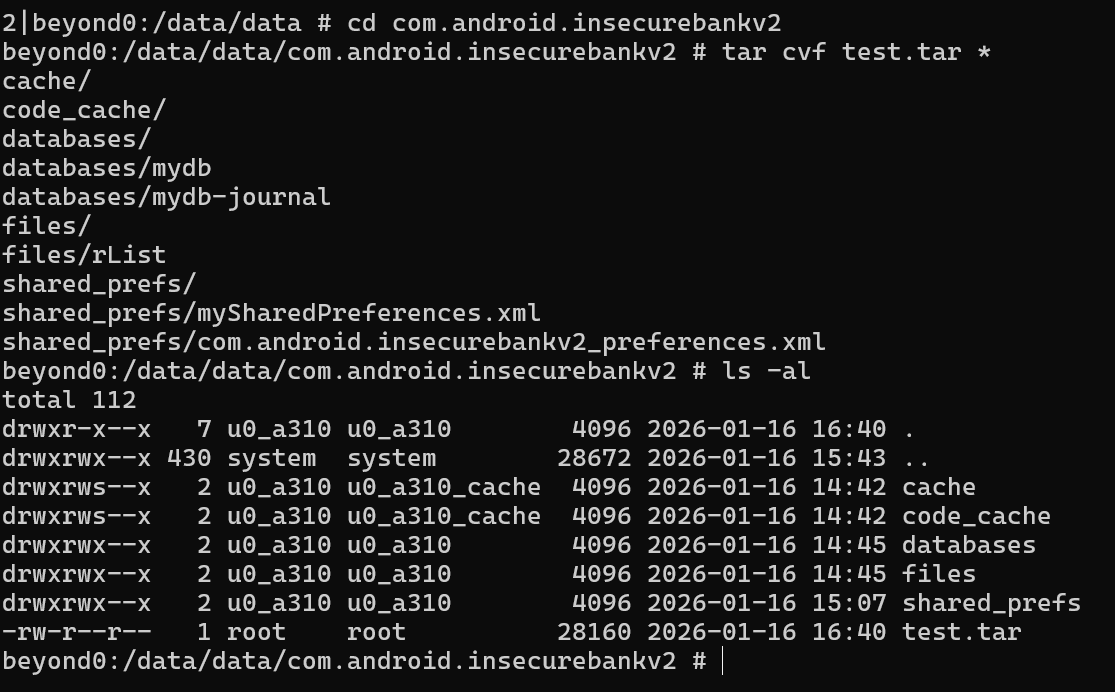
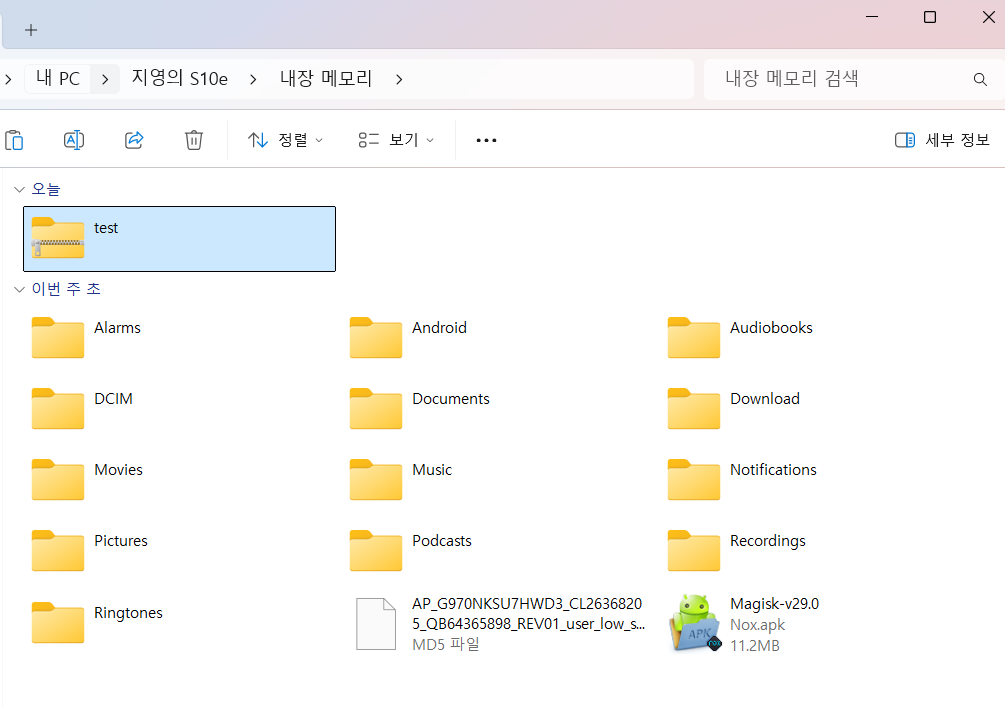
cp -r test.tar /sdcard //sdcard파일을 봄
sdcard가 휴대폰 연결한 곳
winmerge
= 파일 비교
건들기 전, 건든 후의 차이점을 비교함'
sharedpreferences에 많이 남음
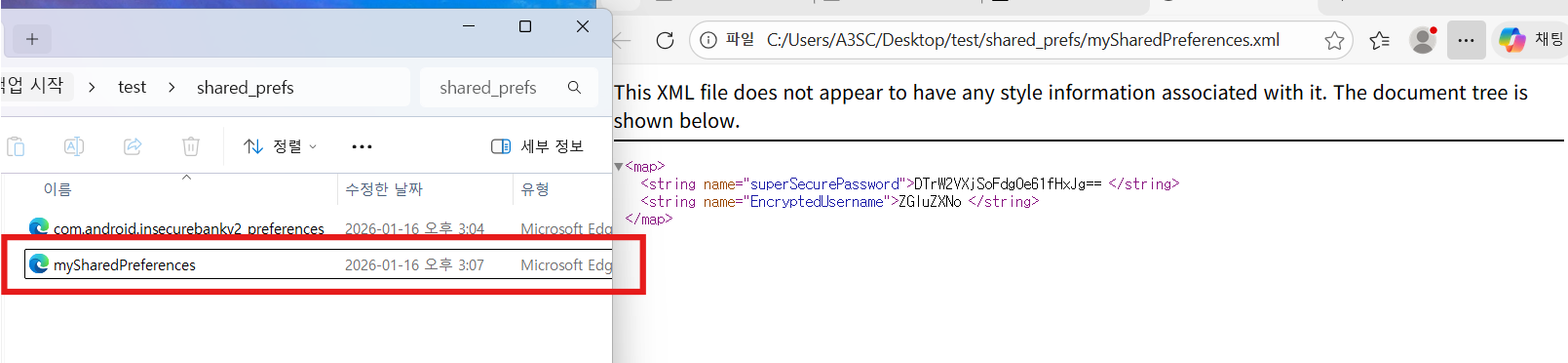
base64로 비교해봄
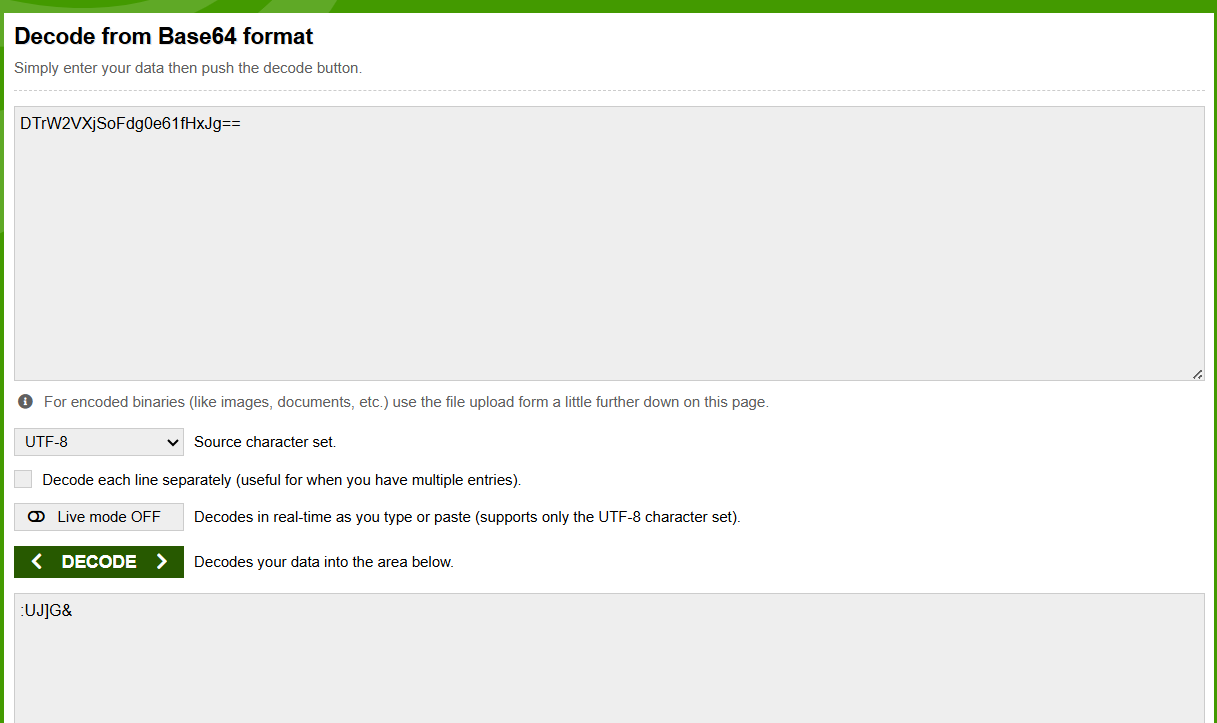
비번
1. base64이미지
2. 든 라이선스는 고유한 시그니처 메모리를 보유
DB Browser for SQLite

/private/var/container/Bundle/Application
fridump3
https://github.com/rootbsd/fridump3
GitHub - rootbsd/fridump3: A universal memory dumper using Frida for Python 3
A universal memory dumper using Frida for Python 3 - rootbsd/fridump3
github.com
에서 download.zip하고 압축 풀기
설정을 바꿔줘야 함: USB 부분()을 (1)로 변경함
try:
    if USB:
        session = frida.get_usb_device(1).attach(APP_NAME)
python fridump3.py -us -s 프로세스ID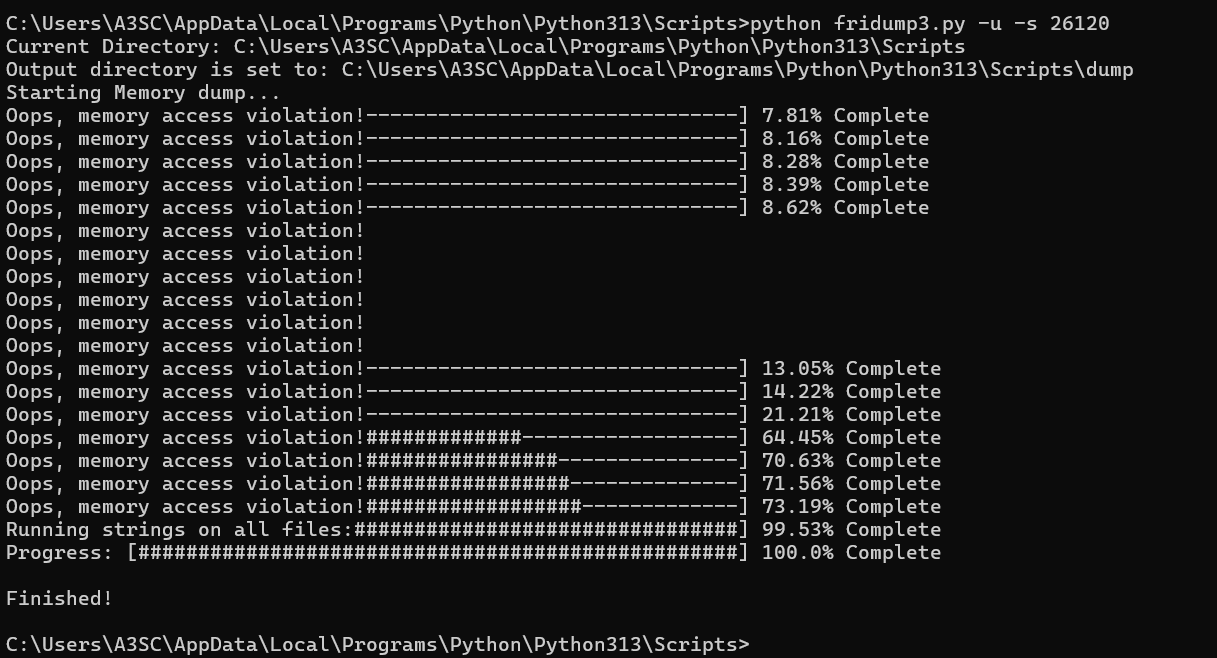
dump에 Finished!가 뜨면
AstroGrep에서 비밀번호를 검색
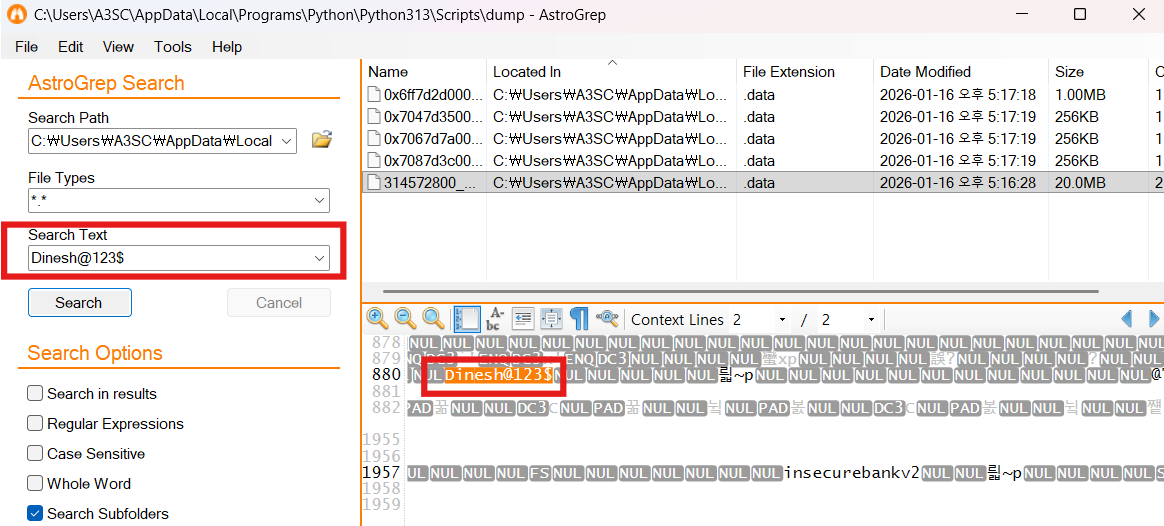
프로그램 무결성 검증
안드로이드 스마일 코드로 이루어짐
Toast 창 확인
- 금융권 → 데이터·거래·시스템에서 무결성은 필수
- 주요통신기반시설 → 무결성에 대해 정해진 기준이 존재
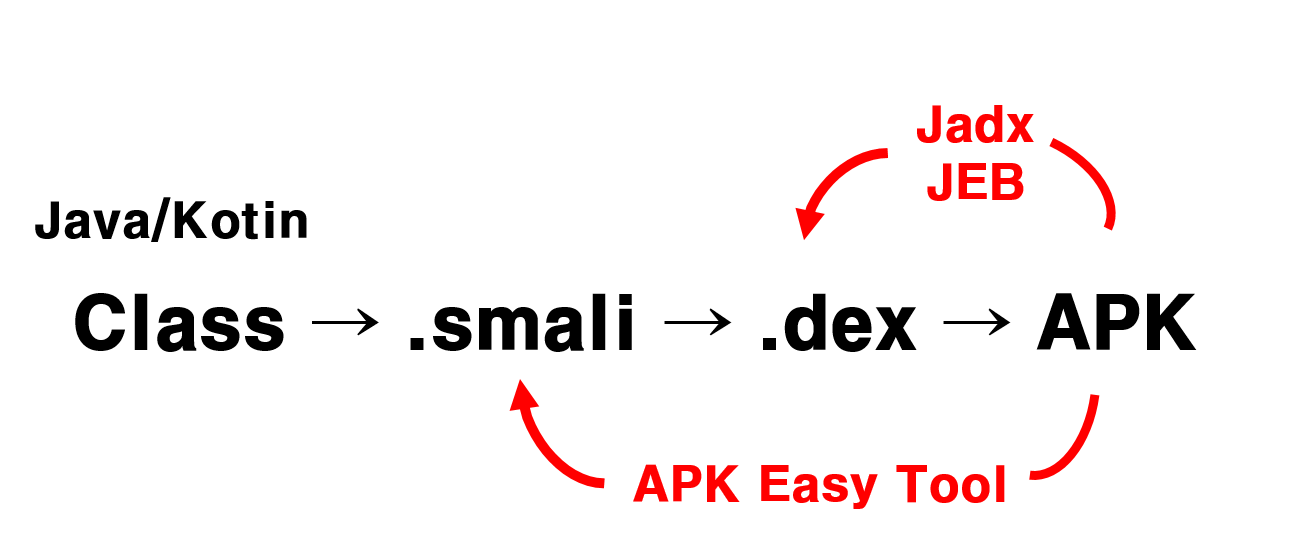
요약본
MOBILE
# APK/IPA 추출
1. APK
- adb에서 /data/app이동 후 패키지 이름 확인
- C:\Users\A3SC>cd Desktop
- C:\Users\A3SC\Desktop>adb pull /data/app/co.kr.ksfc.mobile-D3OtHGi-kaeAT4odpvLsGA== ./
2. IPA
- 트윅 : CrackerXI+
- jail폴더 보이는 트윅 : Apple File Conduit "2”
- FileSystem(jailbreaken)>private>var>Container>Bundle>Application>추출하고자하는앱
바이너리 파일중 크기가 제일 큰파일 추출한 후 분석
# frida(루팅, 탈옥 후킹 또는 메모리 변조 시 사용)
frida-ps -Uai // 프로세스 확인, i옵션은 전체앱, ai는 실행 중인 앱
frida -U -f [패키지이름] -l 코드.js //앱 다시 실행되면서 코드 실행
frida -U -F -p [pid] -l 코드.js //앱 실행된 상태에서 코드 실행
메모리 변조 코드
function Memory_scan() {
var ranges = Process.enumerateRangesSync({protection: 'r--',coalesce: true});
var range;
function Next_Range() {
range = ranges.pop();
if (!range) {
console.log("Memory Scan Done!");
return;
}
var srch_str = ascii_to_hex('11110700315'); //내 계좌번호
Memory.scan(range.base, range.size, srch_str,
{
onMatch: function (address, size) {
console.warn("[*] Pattern Found at " + address.toString());
console.log(hexdump(address, {
offset: 0,
length: 32
}));
Memory.writeUtf8String(address, '00110707989') //타인 계좌번호
console.warn("[*] Pattern Changed at " + address.toString());
console.log(hexdump(address, {
offset: 0,
length: 32
}));
console.log("")
},
o-nerror: function (reason) {
console.log("[!] Error Scanning Memory - " + reason);
},
onComplete: function () {
Next_Range();
}
});
}
Next_Range();
}
function ascii_to_hex(str) {
var arr1 = [];
for(var n = 0, l = str.length; n < l; n++) {
var hex = Number(str.charCodeAt(n)).toString(16);
arr1.push(hex);
}
return arr1.join(' ');
}
Memory_scan();
# fridump3.py(안드로이드, ios 동일)
python fridump3.py -u -s [pid] //-s(문자열을 하나의 파일로 추출해주는 옵션) 생략 가능
# 설정 파일
안드로이드 : /data/data/앱 패키지이름
ios : FileSystem(jailbreaken)>private>var>Container>Bundle>Application>추출하고자하는앱
# 무결성
안드로이드 : apkeasy tool로 디컴파일 후 smaill 코드 수정 후 컴파일하여 재설치
ios : 바이너리 파일 추출 후 HXD로 코드 수정 후 바이너리 파일 교체하여 재설치
이때 앱 사인이 필요할 수도 있음
ldid -e >> 기존앱에서 추출
ldid -S >> 교체한 앱애 적용
# 로그파일 확인
안드로이드 : adb loglcat --pid=xxx
ios : 3utools에서 realtime log 확인
'cs > sec' 카테고리의 다른 글
| Galaxy S22의 앱 adk 정적분석(jadx, frida) (0) | 2026.01.23 |
|---|---|
| 아이폰XR 16.4 IPA 추출하기 (0) | 2026.01.22 |
| UnCrackable Level3(후킹을 활용한 실습 문제 분석) (1) | 2026.01.15 |
| UnCreakable Level2 실습(후킹을 활용한 실습 문제 분석) (0) | 2026.01.15 |
| Frida 환경 설정 가이드 및 UnCreakable Level1 실습(후킹을 활용한 실습 문제 분석) (0) | 2026.01.15 |